Files your agent can read — from people you don’t know.
Your users upload images, PDFs and documents. Your agent gets them ready to read, search and cite — labelled as user content, with a verdict on each file.
Files is in development. Leave your email and we’ll tell you when it launches.
Files carry text people don’t see
A PDF or Word file can hold text that is invisible on the page and fully readable to a model: white on white, microscopic fonts, text outside the page, hidden runs and comments. It already turns up in real uploads.
- of résumés Greenhouse reviewed in the first half of 2025 carried a hidden prompt.
- 1%
- The New York Times, 2025
- of the hidden text found in about 197,000 real résumés gave no instruction at all, just extra keywords that instruction filters do not catch.
- 90%+
- Measuring Real-World Prompt Injection Attacks in LLM-based Resume Screening, 2026
How these attacks work, one file type at a time: read the series on the blog.
Built for chat
Your agent can ask for a file in the middle of a conversation, wait for it, and answer from it, citing the page it used.
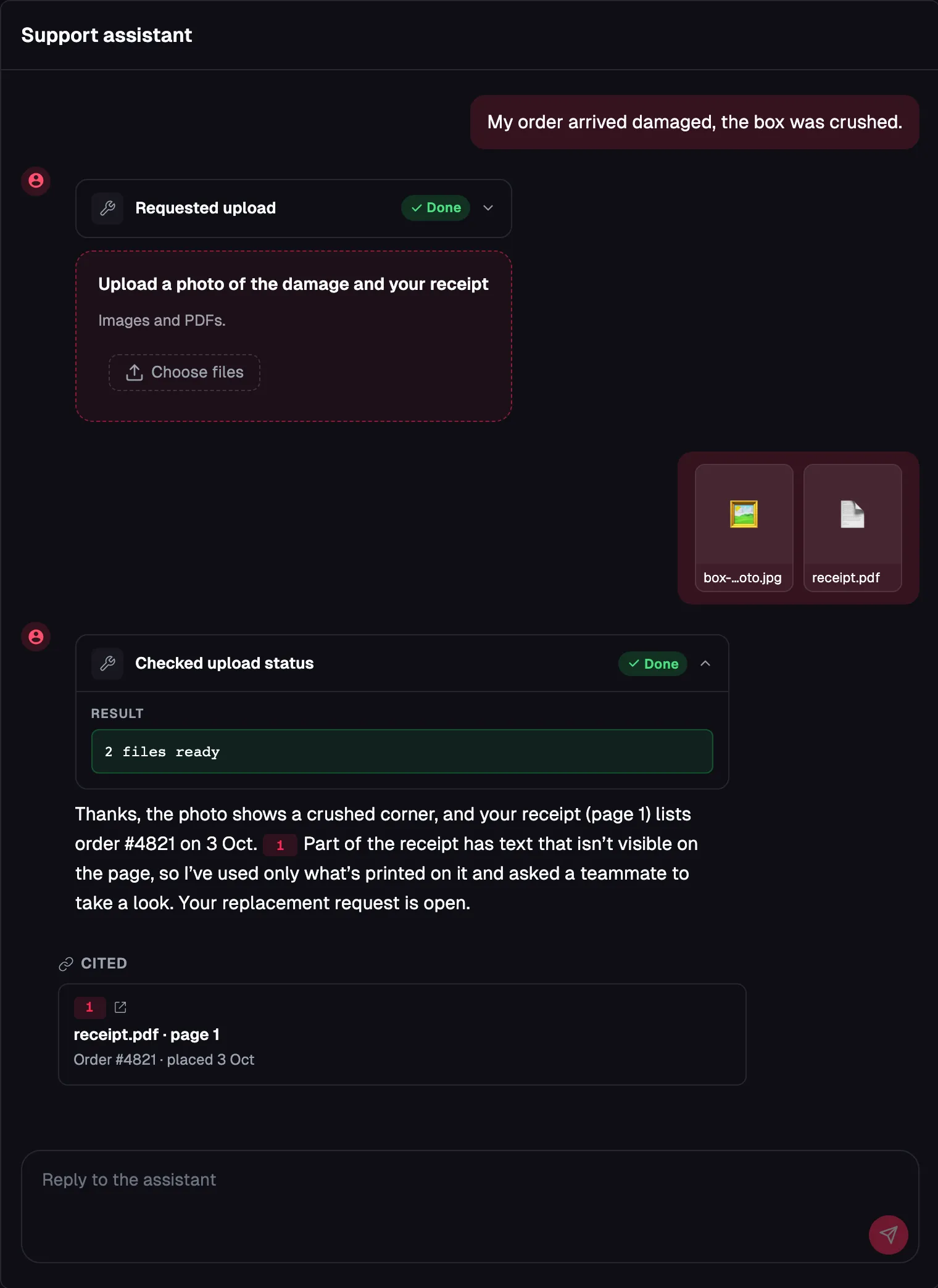
From upload to agent in three steps
Files keeps the content readable for your agent and tells it what we found in each file.
A person uploads a file
Images, PDFs and text documents go into a record the person owns: a ticket, an application, a claim.
FoxNose turns it into content
Each file becomes page-anchored markdown. Your agent can read it, find it by meaning, and cite "page 2, this block".
Your agent gets it with a verdict
Content from a file arrives labelled as user content, kept apart from your instructions, with a verdict (clean, suspicious or blocked) and the reasons behind it.
Read it, find it, cite it
Your agent gets files through the delivery API and the hosted MCP server, next to the rest of your content.
Read it
The file is plain markdown, split by page. The agent reads the text the way it reads any other content in FoxNose.
Find it by meaning
Search matches what a file says, not only the words it uses.
Cite it
Every passage keeps its place in the file, so an answer can point to "page 2, this block" and a person can check it.
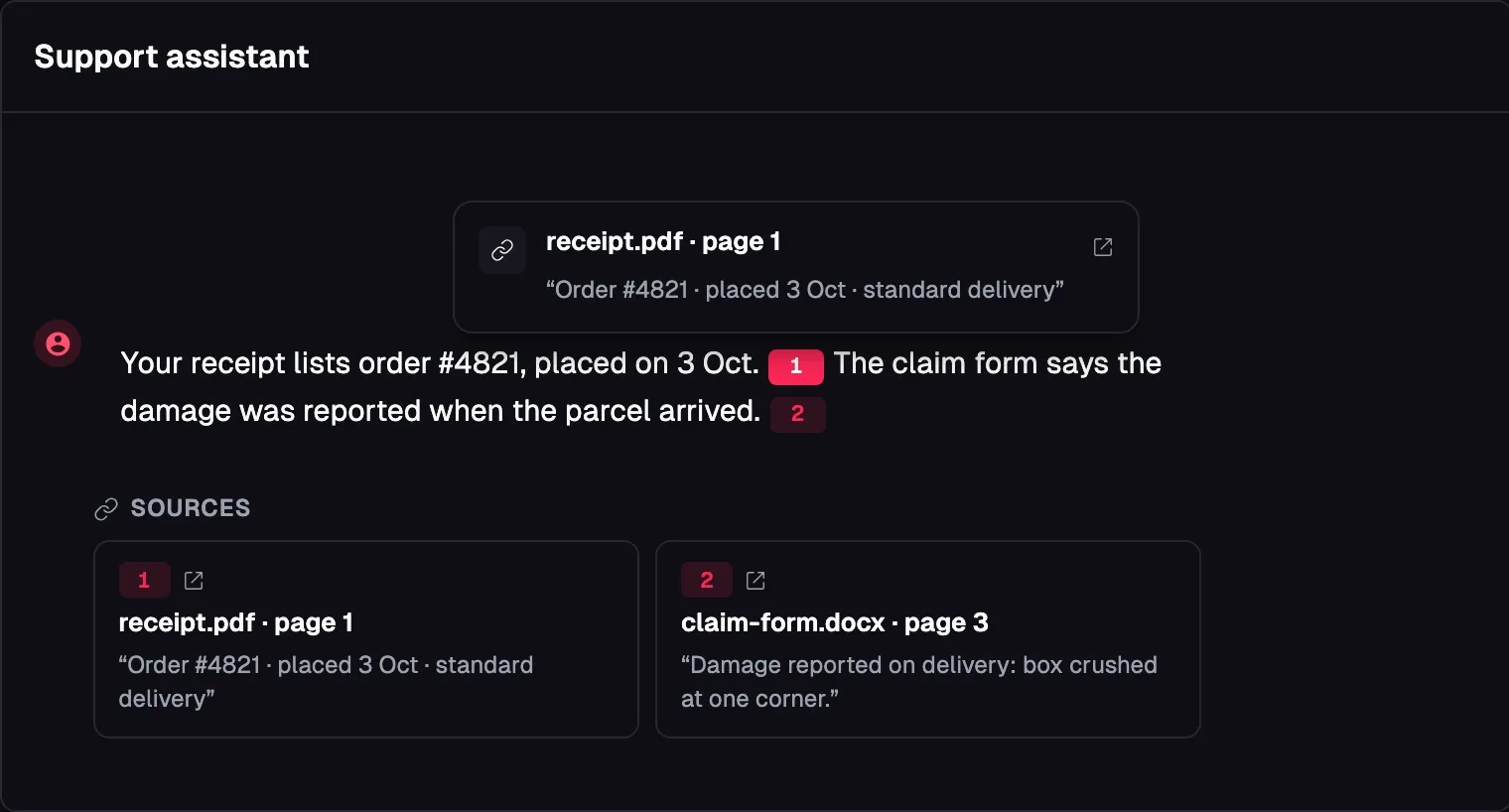
Take files in the way that fits
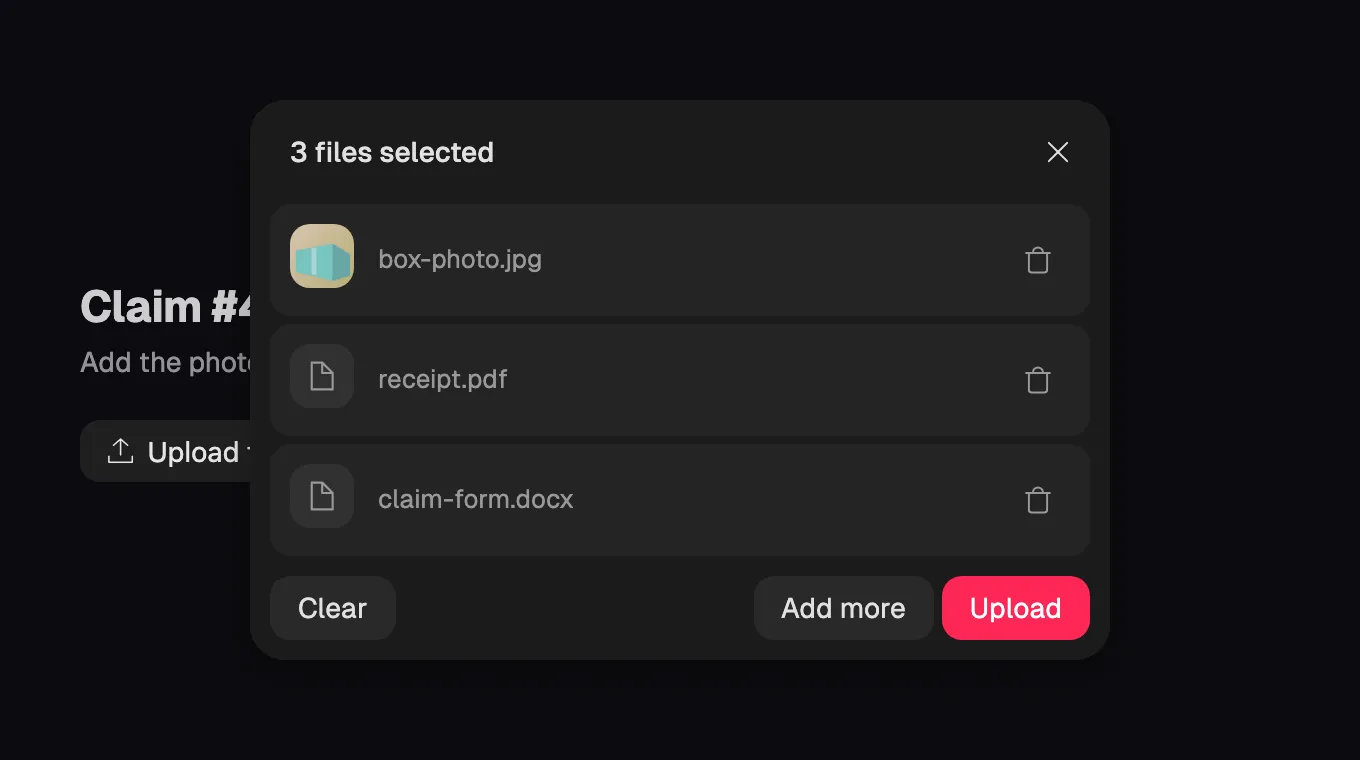
Every upload ends up in the same place: a record owned by the person who sent the file.
- From your app
- Send the upload from your own product with the upload API. The file lands in the record you point it at.
- From a hosted upload page
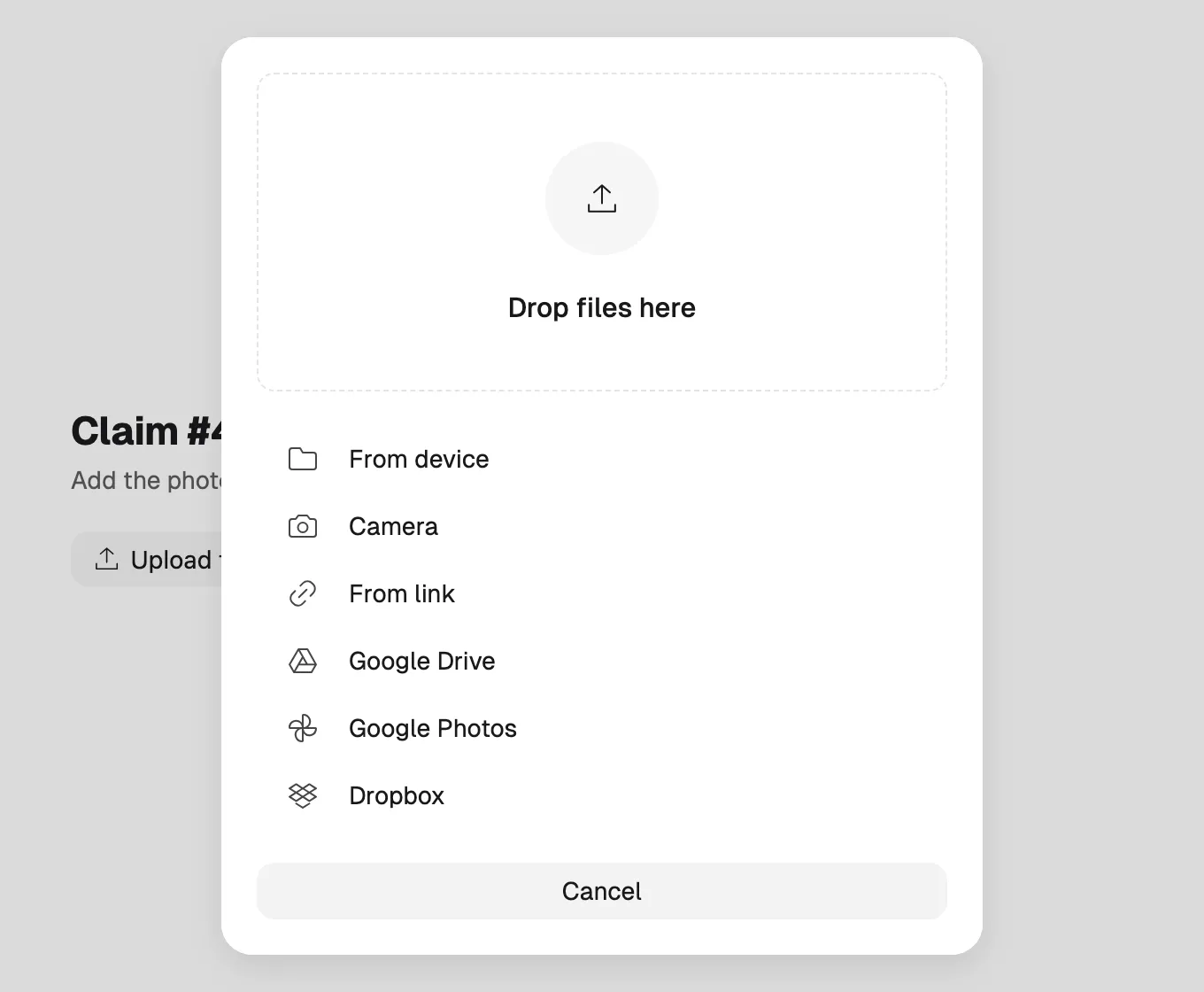
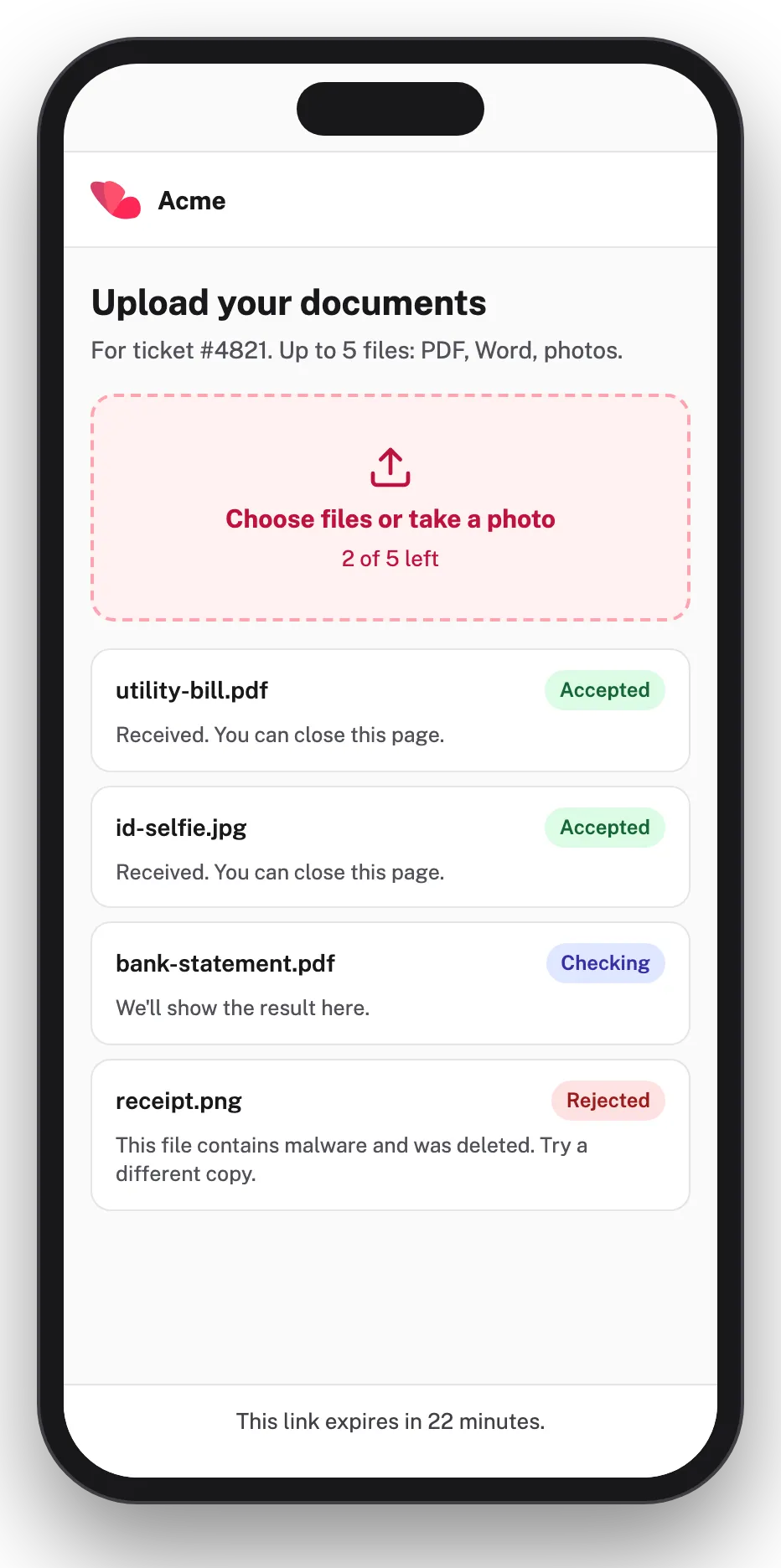
- Share a link and people upload there. For each link you choose which file types it accepts, and you can revoke it at any time.
- From the agent itself
- Your agent asks the person for a file over MCP with request_upload.
Drops into your page
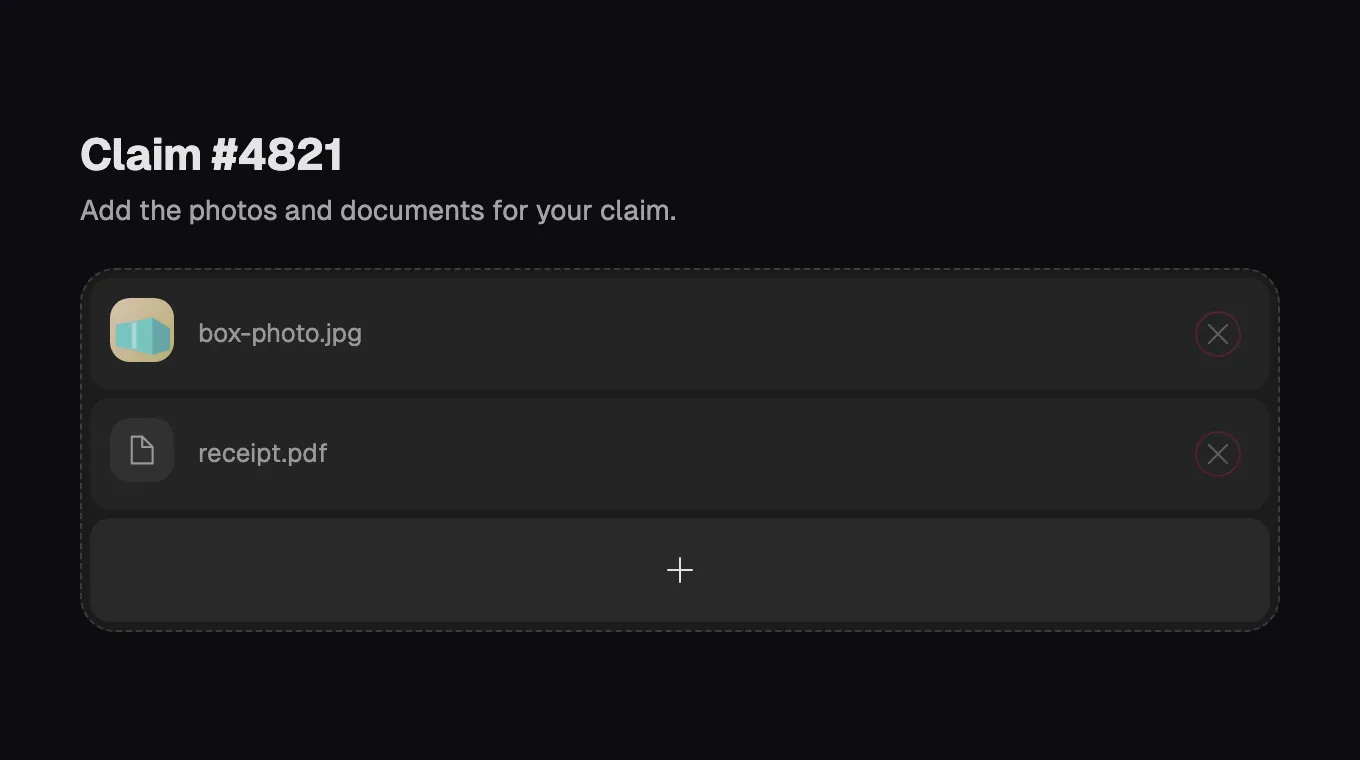
Add the file uploader to any page. It comes in several looks and takes your brand colors. Or skip the code and share a hosted upload page.
Checks that run without configuration
Nothing to switch on. Every file your agent will read goes through these checks.
- Malware is always blocked
- Every file is checked for malware. A file with malware is blocked, and this cannot be turned off.
- Explicit imagery is detected
- Every image and page is checked for explicit content. Your collection's policy decides what happens, with a strict default you can switch off.
- Hidden text is found and flagged
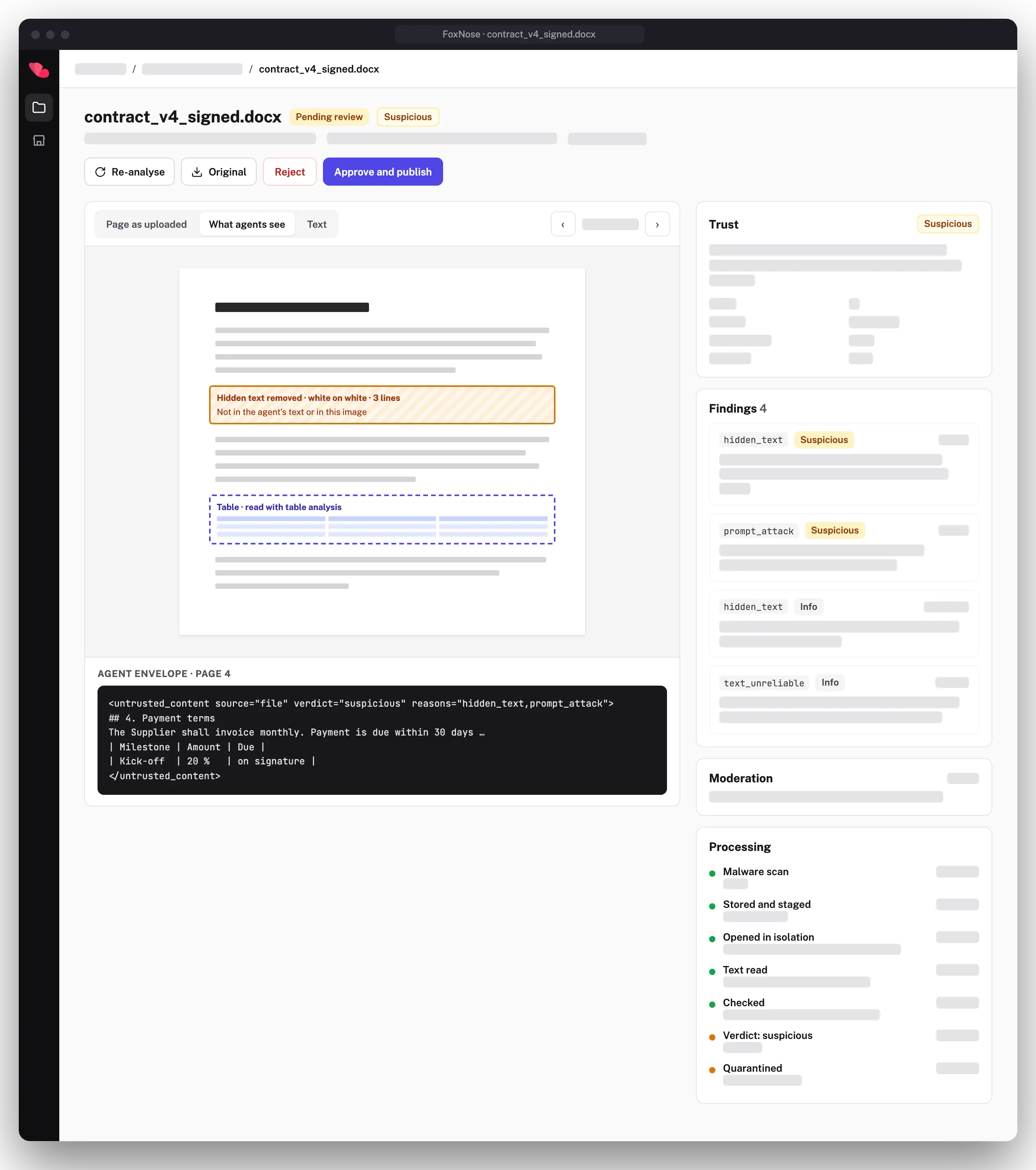
- Text a person can't see on the page, such as white-on-white, microscopic fonts, or text placed outside the page, is flagged. It is not passed to the agent as if it were visible.
- Limits on every upload
- Limits cap how much processing a single upload can trigger.
- Files are opened in isolation
- Each file is opened on a disposable, isolated machine, separate from where your data lives. When the work is done, the machine is thrown away.
Labelled as user content, with a verdict
Content from a file reaches your agent inside a published envelope. It tells the model where the text came from — a person’s file, not your prompt — so your agent can treat it as material to read, not as instructions. The verdict and its reasons travel with it.
- Clean
- Suspicious
- Blocked
FoxNose flags and marks. You decide what your agent does with each verdict. The envelope format is published, so you know exactly what your agent is handed.
Get Files when it launches
One email when it is ready. Nothing else.
We’ll use your email only to tell you when Files launches. Privacy policy
Every file, step by step
Before we open it
Upload
The file goes straight to the upload service with a short-lived, single-use token. It never passes through your servers.
Malware scan
Scanned in a separate service before FoxNose opens it.
Malware → blocked and deletedStored
The original is stored. A working copy is staged for processing.
Inside a disposable machine
A fresh machine starts
One machine per job. It can read only its own file and write only the results it is expected to produce.
Opened and rebuilt
Documents become clean page images and text; macros never run. Images are re-encoded and their metadata is stripped.
Read, check, publish
Read
Text is read from what is visible on each page and compared with the file’s own text, which is how hidden text is found. Tables are read as tables.
Checked
Every file is checked for content meant to mislead a model, and for anything your rules flag.
- White-on-white text
- Microscopic fonts
- Text outside the page or under images
- Hidden runs, comments and tracked changes in Word files
- Invisible Unicode characters
- Look-alike letters
- Instructions aimed at the model
- Explicit imagery
- Your moderation rules
- …and more
Verdict
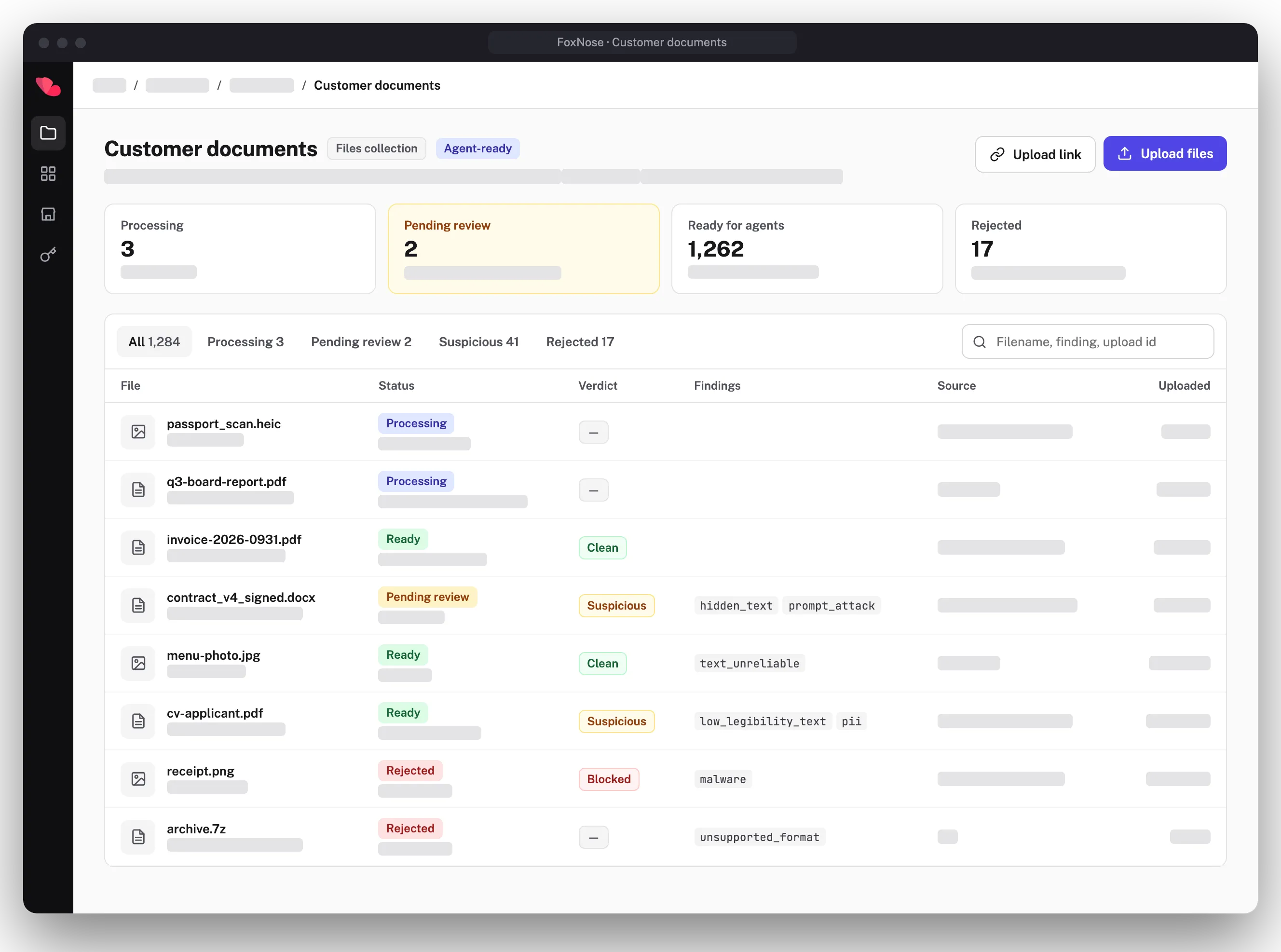
Clean, suspicious or blocked, by your collection’s policy. Suspicious files can wait for review.
- clean
- suspicious
- blocked
Indexed
Split by page and embedded for search, ready before anything goes live.
Published
All at once, and only after every step passed. Your agent sees it labelled as user content, with its verdict.
A file that fails a step never reaches your agent.
Where files come in
Anywhere a person hands your agent a document or an image.
Support screenshots
Customers attach a screenshot to a ticket. Your agent reads what is on it.
CVs and job applications
Candidates upload a CV with their application. Your agent reads it and cites the page.
Insurance claim photos
Claimants add photos and documents to a claim. Your agent works from the claim, with the files attached to it.
Invoices and receipts
People send invoices and receipts as PDFs or photos. Your agent reads the text on them.
Shape it to your rules
Start with the defaults. Add rules of your own, or keep some files away from agents altogether.
Moderation add-on
Add-onWrite your own rules for what comes in. For each rule you choose what happens: block the file, send it for review, or just tag it.
Storage-only collections
Collection typeFor files people need but agents do not. Files are scanned for malware, stored, and downloadable by people. They are never delivered through MCP.
What your team sees
Every file has a record in the dashboard. Your team can see what an agent would read, what was found, and decide what happens to a file that was held for review.
File to typed record
A CV fills a candidate. A receipt fills an amount and a date. Every extracted value points to the visible words it came from, and values that can’t be traced to the page are rejected.
Files is coming soon.
Leave your email and we’ll tell you when it launches.
We’ll use your email only to tell you when Files launches. Privacy policy
Explore more
Knowledge MCP
Auto-generated from your schema. Plug Claude, Cursor, OpenAI.
Learn more →Hybrid Search API
Semantic search, full-text, and pre-filter vector search in one query.
Learn more →Knowledge Base API
Schema-first, auto-generated REST API with built-in search.
Learn more →AI Knowledge Governance
Audit trail, schema versioning, RBAC built into the knowledge base.
Learn more →